Welcome to RTKSurvey.com

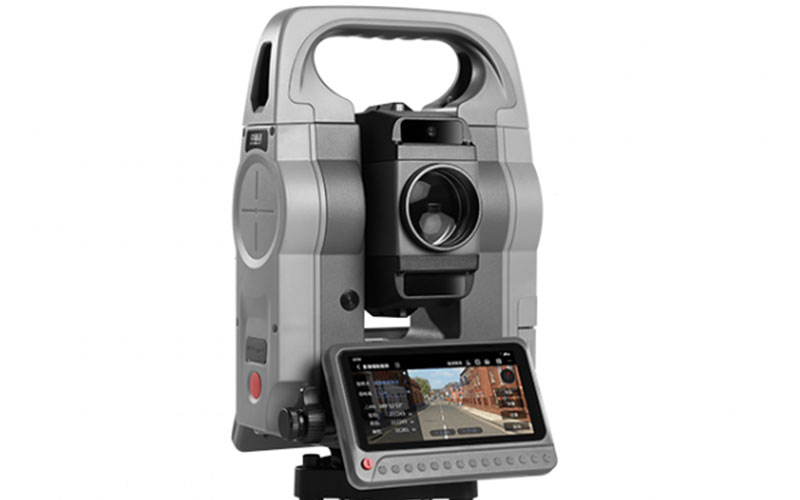
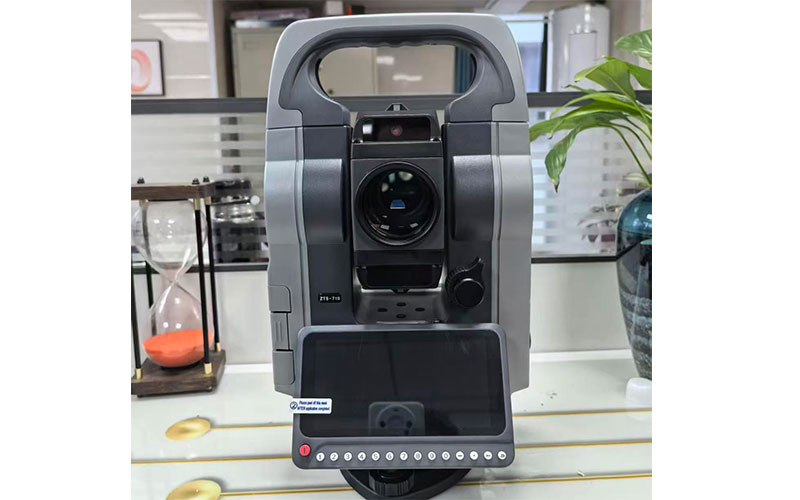
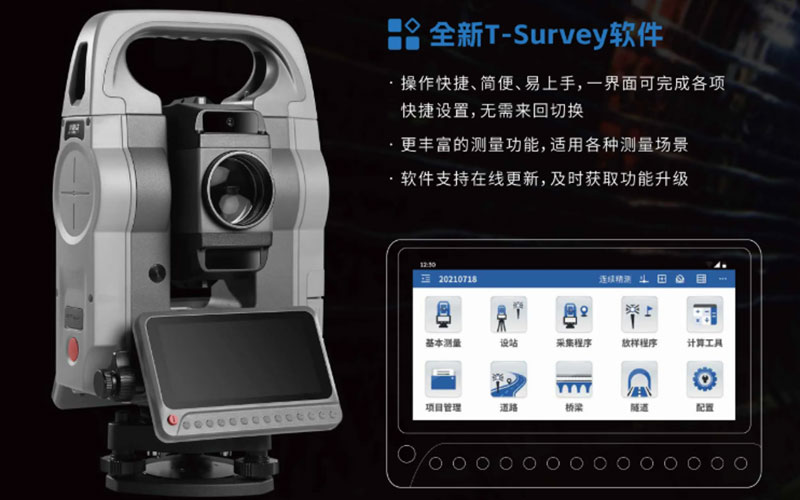
Hi-Target ZTS-710 Android Total Station
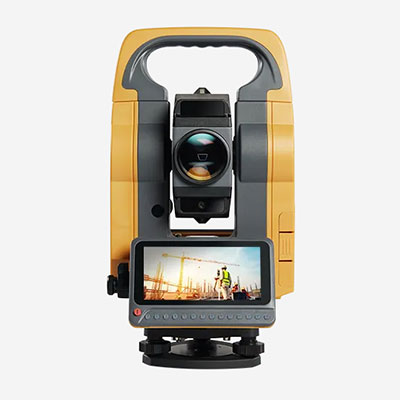
The Hi-Target ZTS-710 Android Total Station is a smart surveying instrument developed for engineering measurement and construction stakeout. It combines an Android-based operating platform with Hi-Target's T-Survey field software, image-assisted stakeout and integrated CAD drawing functions.
Designed to simplify field operations, the ZTS-710 allows surveyors to work with design drawings, manage measurement data and carry out stakeout tasks through a more intuitive interface. It is particularly useful for construction teams seeking a digital workflow beyond conventional menu-based total station operation.
Key Features of the Hi-Target ZTS-710
Android-Based Smart Operating System
The ZTS-710 features an Android-based operating system designed to provide a familiar and interactive user experience.
Its data-processing capabilities support field measurement workflows and the direct export of multiple data formats, helping surveyors manage and transfer survey information more efficiently.
Integrated T-Survey Field Software
Hi-Target's T-Survey software provides an integrated interface for measurement operations and instrument settings.
Frequently used settings can be accessed within a single interface, reducing unnecessary switching between menus during fieldwork.
The software also supports online updates, allowing users to obtain available function upgrades.
Image-Assisted Stakeout
One of the distinguishing features of the ZTS-710 is its image-assisted stakeout function.
Visual guidance helps operators identify the direction of movement toward a selected stakeout point, reducing the need for repeated telescope observations during certain operations.
This function can make construction stakeout more intuitive, particularly for operators who are transitioning from conventional total stations to smart surveying instruments.
CAD Drawing Stakeout
The ZTS-710 integrates a CAD engine that supports importing CAD drawings directly into the surveying workflow.
Operators can select points and lines from supported drawings for stakeout, making it easier to work with construction design information.
Instead of manually preparing every stakeout coordinate, surveyors can use drawing-based selection to organize field layout tasks.
Field Data Management and Export
The Android operating platform and T-Survey software support an integrated workflow for measurement data processing and export.
Support for multiple export formats helps surveying teams transfer collected information for subsequent office processing.
Main Specifications and Functions
| Item | Description |
|---|---|
| Brand | Hi-Target |
| Model | ZTS-710 |
| Product Type | Android Smart Total Station |
| Operating System | Android-based smart platform |
| Field Software | Hi-Target T-Survey |
| Stakeout Technology | Image-assisted stakeout |
| CAD Function | CAD drawing import and point/line stakeout |
| Data Export | Multiple data formats supported |
| Software Maintenance | Online software update support |
| Main Applications | Engineering surveying, construction layout and stakeout |
The specifications above describe the functions confirmed in the manufacturer's published product information. Detailed EDM accuracy, angular accuracy, measurement range and hardware specifications should be confirmed against the official ZTS-710 technical datasheet.
Applications of the ZTS-710 Android Total Station
Construction Layout and Stakeout
The ZTS-710 is suitable for setting out construction points and lines based on project design information.
Its CAD drawing functionality allows operators to select relevant design elements directly, helping simplify field layout preparation.
Engineering and Site Surveying
For engineering measurement projects, the instrument supports a digital workflow for field observations, measurement management and data export.
Its integrated software interface can help surveyors organize routine site measurement tasks.
Road and Infrastructure Construction
Road and infrastructure projects often involve multiple designed points, lines and structural positions.
The ZTS-710's drawing-based stakeout functions can support survey teams working with these construction layouts.
Building and Structural Positioning
Image-assisted stakeout can provide visual guidance when positioning selected construction points.
This is useful for building layout and other engineering tasks where operators need to identify and approach designated stakeout locations.
Why Choose the Hi-Target ZTS-710?
The ZTS-710 is designed for surveying teams that want to combine conventional total station measurement with Android-based field operation.
Its main advantages include:
Android-based interface for interactive field operation
Integrated T-Survey measurement software
Image-assisted guidance for construction stakeout
CAD drawing import and direct point/line selection
Multiple data export options
Online software update support
The combination of image-assisted stakeout and CAD functionality makes the ZTS-710 an option for contractors who regularly work with digital construction drawings.
For projects requiring specific angular accuracy, reflectorless range or EDM performance, buyers should confirm the exact instrument configuration and technical specifications before ordering.
Hi-Target ZTS-710 vs Conventional Total Stations
Traditional total stations commonly require operators to work through instrument menus and manually manage many stakeout points.
The ZTS-710 adds an Android-based software environment, image-assisted guidance and CAD drawing integration to the measurement workflow.
These functions can be particularly valuable when a project involves numerous design points or frequent drawing-based stakeout operations.
However, intelligent software functions do not replace the need to evaluate measurement accuracy, instrument calibration and project tolerances.
Buyers should compare both the surveying performance and the software workflow when selecting a total station.
For a broader selection guide, read How to Choose a Total Station.
Hi-Target ZTS-710 Supplier – RTKSurvey.com
RTKSurvey.com is a China-based multi-brand surveying equipment supplier offering Hi-Target total stations and other professional surveying instruments for international customers.
We help buyers compare surveying equipment options according to their intended applications, instrument configurations and accessory requirements.
Explore our Hi-Target Total Stations or browse the complete Total Stations category.
For the Hi-Target ZTS-710 Android Total Station, contact RTKSurvey.com to request product information, available configurations and a quotation.